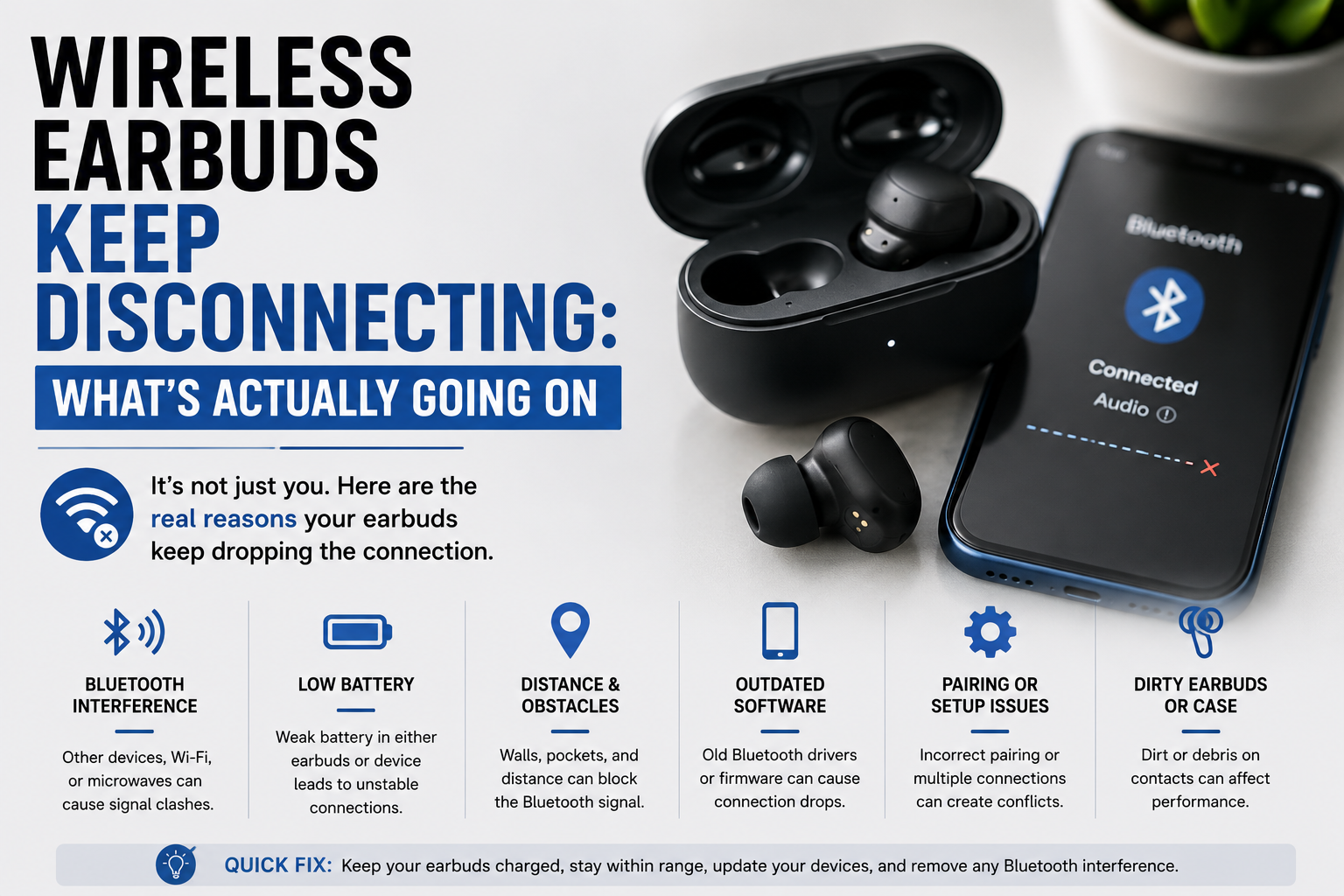
Wireless Earbuds Keep Disconnecting: What’s Actually Going On
Why Wireless Earbuds Keep Disconnecting in the First Place
Bluetooth runs on the 2.4 GHz frequency, the exact same band used by Wi-Fi routers, microwaves, and a bunch of other wireless gadgets. One breakdown of common TWS earbud issues points out that too many devices fighting over that same frequency is one of the biggest, most overlooked reasons for random dropouts, especially in busy places.
Your Own Body Is Part of the Problem
This one genuinely surprised me. A detailed guide on earbud disconnections explains that your torso actually absorbs a meaningful amount of 2.4 GHz signal. Phone in your back pocket, earbuds in your ears, means the Bluetooth signal has to fight its way through your entire body to reach them. That single habit alone causes a lot of the “it cuts out when I walk” complaints people assume is a hardware defect.
Low Battery Causes More Dropouts Than People Realize
Earbuds run on tiny batteries, smaller than what’s in your phone by a wide margin. As that charge gets low, the connection itself can start getting unstable well before the earbuds actually shut off completely. If disconnects seem to get worse as the day goes on, battery level is worth checking first, before assuming anything else is wrong.
Quick Fixes When Wireless Earbuds Keep Disconnecting
Start simple. Fully charge both earbuds, then forget the device in your Bluetooth settings and pair it again from scratch. A step-by-step troubleshooting guide recommends this exact sequence, and it clears up a surprising number of cases on its own, no deeper fix needed.
Turn Off Multipoint or Auto-Switch Temporarily
A lot of modern earbuds automatically switch between your phone, laptop, and tablet, a feature usually called multipoint or auto-switch. Handy in theory, but it’s also a common source of random disconnections, since the earbuds sometimes get confused about which device should actually be playing audio. Turning this off while troubleshooting removes one whole layer of potential conflict.
Clean the Charging Contacts
Dirty metal contacts inside the charging case can stop an earbud from charging fully, even when it looks seated correctly. A dry cotton swab wiped gently across the contacts, both on the earbud and inside the case, fixes this more often than people expect from something so simple.
When One Earbud Disconnects More Than the Other
This is a specific pattern worth calling out separately, since the cause is usually different from a full dropout on both sides. The same troubleshooting guide notes that if one bud disconnects more often than its pair, it likely has a weaker charge, dirty contacts specifically on that side, or a small hardware issue isolated to just that one earbud.
Testing Which Earbud Is Actually the Problem
Fully charge both, clean both sets of contacts, and use them separately for a day if you can. If the same earbud keeps dropping regardless of which side of your ears it’s in, that narrows the problem down to that specific unit rather than your phone or the environment around you.
Interference: The Cause Most People Never Actually Fix
Android Police’s guide on this exact issue confirms that most Bluetooth earbuds have a real-world range of around 30 feet without obstacles, and that walls, doors, and large objects between you and your phone genuinely weaken that connection enough to cause dropouts.
Crowded Places Make This Worse
Subways, offices, coffee shops, anywhere with a lot of phones, laptops, and Bluetooth speakers all competing for the same frequency at once. There’s not a lot you can personally do about a crowded Bluetooth environment, but knowing that’s the actual cause at least explains why your earbuds behave fine at home and badly on a commute.
Is It a Disconnect, or Just a Pause?
A guide specifically covering AirPods behavior makes a useful distinction worth knowing regardless of brand: check your device’s audio output menu the moment the sound cuts. If your earbuds vanish from that list entirely, that’s a real disconnect. If they’re still listed but nothing’s playing, that’s more likely a pause triggered by ear-detection sensors or a loose fit, not an actual Bluetooth failure.
When It’s Time for a Factory Reset
If charging, re-pairing, and cleaning the contacts haven’t helped, a full factory reset clears out corrupted pairing data that builds up over time, especially on earbuds that have been paired and unpaired with several different devices. Check your specific model’s manual for the exact reset steps, since the button combination or touch sequence varies quite a bit between brands.
Firmware Updates Matter More Than People Think
Manufacturers regularly push out small firmware updates specifically targeting connection stability. If your earbuds’ companion app has an update sitting there ignored, it’s worth actually installing before assuming the hardware itself is at fault.
Android vs iPhone: Does the Fix Differ?
Mostly not, since both platforms rely on the same underlying Bluetooth technology. A few small differences do exist worth knowing about.
Android-Specific Settings Worth Checking
Android phones often have aggressive battery optimization settings that can quietly restrict Bluetooth in the background to save power. If your earbuds keep disconnecting specifically when your phone’s screen is off, checking battery optimization settings for your Bluetooth or media apps is worth doing, since some manufacturers set this quite aggressively by default.
iPhone-Specific Behavior to Watch For
On iPhone, automatic device switching between an iPhone, iPad, and Mac signed into the same Apple ID can sometimes look like a random disconnect when really it’s audio quietly handing off to a different device nearby. Checking which device shows as the active audio output before assuming a real disconnect happened saves a lot of confused troubleshooting.
Older Earbuds vs. Newer Models
Age matters here more than people expect. Older earbuds, especially anything more than three or four years old, often use older Bluetooth versions and simpler antenna designs, both of which affect connection stability compared to newer models.
When It’s Genuinely Time to Replace Them
If you’ve worked through charging, re-pairing, cleaning contacts, and a full factory reset, and disconnections are still constant, especially on older earbuds, hardware wear is a fair conclusion at that point. Batteries degrade permanently over time, and that degradation directly affects how stable the wireless connection stays.
Common Mistakes People Make Troubleshooting This
- Blaming the earbuds immediately instead of checking obvious environmental factors like body position or nearby interference first.
- Leaving multipoint or auto-switch enabled while trying to diagnose the actual cause, adding an extra variable into the mix.
- Skipping a factory reset out of assuming it won’t help, when it’s often the fix that finally clears stubborn, repeated pairing issues.
Worth saying plainly: wireless earbuds keep disconnecting far more often because of something fixable, phone position, battery, interference, than because the earbuds themselves are actually defective.
If You’re Still Setting Up a New Pair
If you’re troubleshooting a brand-new pair rather than an older one acting up, it’s worth double-checking the initial pairing process itself first. Our guide on pairing JLab earbuds to any device walks through that setup step by step, and a lot of “disconnecting” complaints on new earbuds actually trace back to an incomplete first pairing rather than an ongoing connection problem.
And if you’re comparing budget options before committing to a specific pair, our breakdown of CMF Buds versus JLab Go Air Pop is worth a look too, since connection stability is genuinely one of the bigger differences between budget earbud brands, not just sound quality.
Quick Questions People Ask
Why do my wireless earbuds keep disconnecting when I walk?
Usually your phone’s position. Keeping it in a back pocket or bag puts your body directly between the phone and the earbuds, which weakens the Bluetooth signal enough to cause dropouts.
Can low battery cause earbuds to disconnect?
Yes. Connection stability often starts degrading before the earbuds fully die, so frequent disconnects later in the day are worth checking against battery level first.
Should I turn off multipoint if my earbuds keep disconnecting?
Worth trying, at least temporarily. Multipoint switching between devices is a common source of random disconnections that people don’t usually suspect.
Does a factory reset actually fix disconnecting earbuds?
Often, yes, especially if simpler fixes like re-pairing and charging haven’t worked. It clears out old, potentially corrupted pairing data.
Is it normal for one earbud to disconnect more than the other?
It happens, and it usually points to that specific earbud having a weaker charge, dirty contacts, or a small hardware issue rather than a general Bluetooth problem.
Bottom Line on Wireless Earbuds That Keep Disconnecting
Most of the time, wireless earbuds keep disconnecting because of something fixable: phone position, battery level, interference, or a feature like multipoint working against you. Work through the simple checks first, and save the factory reset for when everything else has already been ruled out.