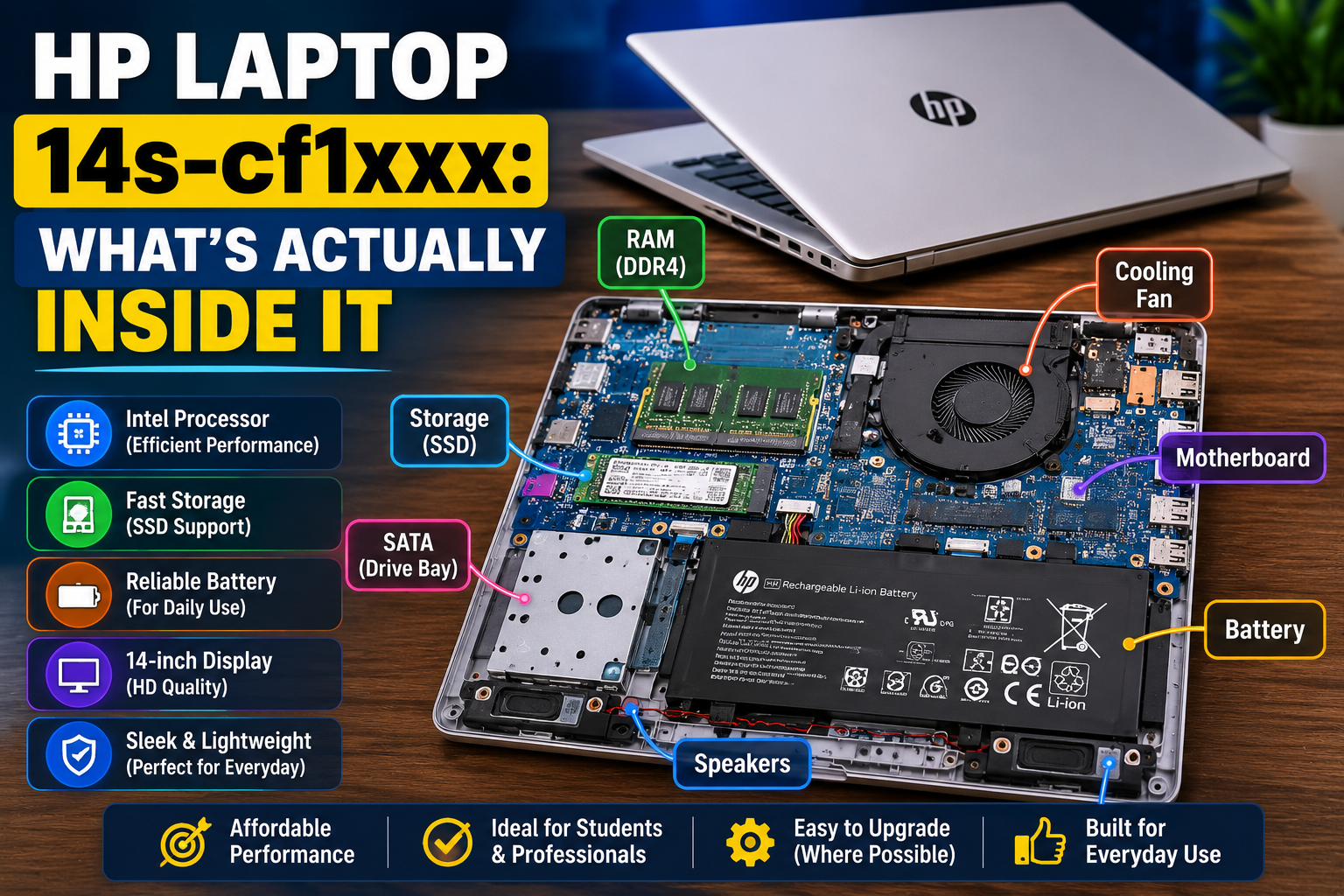
HP Laptop 14s-cf1xxx: What’s Actually Inside It The HP lap
What’s Under the Hood on the HP 14s-cf1xxx
Most of these run an 8th-gen Intel Core i5-8265U. That’s a decent, unremarkable chip from a few years back. Nothing flashy. RAM usually lands at either 8GB or 16GB, and which one you get changes a lot about how the laptop actually feels day to day. Geekbench’s own benchmark listing for this chip backs that up pretty plainly.
Storage is where things get messy. Some units ship with an SSD, some with an old-school HDD, and a few mix both. I found a used unit on Australian Computer Traders listed with the full 16GB config, which gives you a rough ceiling for what this model can hit.
Real-world performance? It’s a browsing-and-Word-documents machine. UserBenchmark’s page on this exact laptop pretty much confirms that. Don’t buy this expecting to edit video on it. You’ll be disappointed, and honestly a little annoyed at yourself for trying.
Upgrading This Thing (Yes, You Can, Sort Of)
People ask about upgrades constantly. Storage swaps are the most common one. There’s an actual thread on HP’s own community forum where real owners hash out what’s possible on this exact chassis, worth a read before you open the case yourself.
RAM’s a bit trickier. Not because it’s hard, just because buying the wrong stick is a real risk. Kingston has a compatibility page for the whole 14s family that’ll save you from ordering the wrong thing twice, which, trust me, happens more than people admit.
And here’s a small annoyance nobody warns you about ahead of time: reinstall Windows on one of these, and drivers vanish. Not all of them. Just enough to be irritating. A scan tool like Driver Identifier’s page for this model beats hunting through HP’s site manually.
Screen Specs, Quickly
If you need the exact display specs, LaptopScreen’s model page lays it out cleanly. Useful mostly if you’re chasing a replacement panel. One catch though — panels can differ slightly unit to unit even under the same model code, so double check before you order anything.
How It Stacks Up Against Other HP Models
The comparison that comes up most is against the HP laptop 15s-du0xxx. Bigger screen, similar guts in some builds. The 15-da1xxx sits nearby too, roughly the same price bracket. None of these are dramatically different machines from each other, if I’m being honest. Screen size and ports end up mattering more than raw specs at this price point.
HP versus Lenovo, at this exact budget tier? I don’t think either brand clearly wins. HP tends to feel a touch lighter in the hand. Lenovo keyboards get more praise, at least from what I’ve read across owner forums. Comes down to preference more than performance, most of the time.
Mistakes People Make Buying One Used
A few things trip buyers up here, over and over:
- Assuming every 14s-cf1xxx has the same specs. It doesn’t. Same name, different guts, depending on the seller.
- Skipping battery health checks on used units, like the ones you’ll find on eBay’s 14s-cf1xxx listings. Old batteries wear down. It happens.
Worth saying twice: check the exact configuration, not just the model number, before you pay for anything.
One More Thing on Batteries
This model runs a lithium battery, same as almost every laptop made in the last decade. Worth knowing what a failing one looks like. We went into this more in our piece on a laptop trackpad popping out of place, which, on a totally different laptop brand, usually traces back to a swollen battery underneath. Same warning signs apply here.
Is It Actually Worth Buying?
For basic stuff, yeah. Emails, browsing, schoolwork, writing. Especially if you land one with 16GB RAM and an SSD instead of a spinning drive. But if you’re picturing gaming or serious editing work, look elsewhere. No upgrade path fixes that, not really.
If cameras are more your thing than laptop specs, our guide on picking a first camera might actually be the more useful read.
Quick Questions People Ask
What CPU is in the HP 14s-cf1xxx?
Mostly an 8th-gen Intel i5-8265U. Some configs vary slightly, so it’s worth checking the exact listing.
Can the RAM be upgraded?
In most builds, yes. Check compatibility first. Buying the wrong stick is an easy, common mistake.
Where’s the serial number on this thing?
Bottom panel sticker, usually near the regulatory text. Windows Settings will also show it if the sticker’s worn off.
Does it have a lithium battery?
Yes. Like nearly every laptop today. Watch for swelling or a case that no longer sits flat, those are the early warning signs.
How much does it weigh?
Under 3.5 pounds typically, give or take depending on the exact build.
So, Bottom Line on the HP 14s-cf1xxx
Solid enough for everyday tasks. Not built for anything heavy. Know exactly which configuration you’re buying before you hand over money, and it’s a fair, unremarkable little laptop that does what it needs to.
.